צפייה בעגלת הקניות
0
Websites
Web Design & Development
Graphic Design
Maintenance
דומיינים
Domain Whois Lookup
רישום דומיין חדש
העברת דומיין אלינו
-----
תמחור דומיינים
Hosting
Web Hosting
Managed WordPress
VPS Hosting
-----
Security
SiteLock
SSL Certificates
Website Backups
Email
Advertising
Search Engine Ads
SEO
Social Media Campaigns
פניות ומידע
Open A Support Ticket
-----
מצב הרשת
מאגר מידע
חדשות
הרשמה
התחברות
How to Access Softaculous in cPanel?
פורטל ראשי
מאגר מידע
Softaculous
How to Access Softaculous in cPanel?
פניות ומידע
פניות השירות שלכם
הודעות וחדשות
מאגר מידע
הורדות
מצב הרשת
פתיחת פנייה
1.
Log into your cPanel account.
2.
In the "
Software
" section, click on "
Softaculous Apps Installer
" Icon.
3.
cPanel will open a Softaculous Interface.
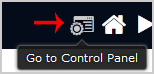
If you want to go back to cPanel, click on the "
Go Back to Control Panel
" icon.
?האם התשובה שקיבלתם הייתה מועילה
0 משתמשים שמצאו מאמר זה מועיל (0 הצבעות)
כן
לא
המאמרים הנפוצים ביותר
What is Softaculous?
Softaculous is an Auto-Installer that allow automated installation of a script through a single...
We value your privacy We use cookies to offer an improved online experience. By clicking accept or by continuing to browse, you consent to our use of cookies. To learn more, please refer to our Privacy Policy.
המשך
מחולל סיסמאות
הזן מספר בין 12 ל- 64 עבור אורך הסיסמה.
אורך סיסמה
הסיסמה שהופקה
הפקת סיסמה חדשה
העתקה