Winkelwagen bekijken
0
Websites
Web Design & Development
Graphic Design
Maintenance
Domeinen
Domain Whois Lookup
Een nieuw domein registreren
Domeinen naar ons verhuizen
-----
Domeintarieven
Hosting
Web Hosting
Managed WordPress
VPS Hosting
-----
Security
SiteLock
SSL Certificates
Website Backups
Email
Advertising
Search Engine Ads
SEO
Social Media Campaigns
Ondersteuning
Open A Support Ticket
-----
Netwerkstatus
Kennisbank
Nieuws
Registreren
Aanmelden
How to Access Softaculous in cPanel?
Startpagina van de portal
Kennisbank
Softaculous
How to Access Softaculous in cPanel?
Ondersteuning
Mijn supporttickets
Aankondigingen
Kennisbank
Downloads
Netwerkstatus
Ticket openen
1.
Log into your cPanel account.
2.
In the "
Software
" section, click on "
Softaculous Apps Installer
" Icon.
3.
cPanel will open a Softaculous Interface.
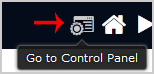
If you want to go back to cPanel, click on the "
Go Back to Control Panel
" icon.
Was dit antwoord nuttig?
0 gebruikers vonden dit artikel nuttig (0 Stemmen)
Ja
Nee
Populairste artikelen
What is Softaculous?
Softaculous is an Auto-Installer that allow automated installation of a script through a single...
We value your privacy We use cookies to offer an improved online experience. By clicking accept or by continuing to browse, you consent to our use of cookies. To learn more, please refer to our Privacy Policy.
Doorgaan
Wachtwoord genereren
Voer een getal tussen 12 en 64 in voor de lengte van het wachtwoord.
Wachtwoordlengte
Wachtwoord genereren
Nieuw wachtwoord genereren
Kopiëren