Vis bestillingskurv
0
Websites
Web Design & Development
Graphic Design
Maintenance
Domæner
Domain Whois Lookup
Registrer et nyt domæne
Overfør domæne til os
-----
Domæne pris
Hosting
Web Hosting
Managed WordPress
VPS Hosting
-----
Security
SiteLock
SSL Certificates
Website Backups
Email
Advertising
Search Engine Ads
SEO
Social Media Campaigns
Støtte
Open A Support Ticket
-----
Netværksstatus
Vidensdatabase
Nyheder
Registrer
Log ind
How to Access Softaculous in cPanel?
Support
Vidensdatabase
Softaculous
How to Access Softaculous in cPanel?
Støtte
Mine support sager
Annonceringer
Vidensdatabase
Downloads
Netværksstatus
Ny Sag
1.
Log into your cPanel account.
2.
In the "
Software
" section, click on "
Softaculous Apps Installer
" Icon.
3.
cPanel will open a Softaculous Interface.
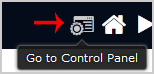
If you want to go back to cPanel, click on the "
Go Back to Control Panel
" icon.
Hjalp dette svar dig?
0 Kunder som kunne bruge dette svar (0 Stem)
Ja
Nej
Mest populære
What is Softaculous?
Softaculous is an Auto-Installer that allow automated installation of a script through a single...
We value your privacy We use cookies to offer an improved online experience. By clicking accept or by continuing to browse, you consent to our use of cookies. To learn more, please refer to our Privacy Policy.
Fortsæt
Generer adgangskode
Indtast et tal mellem 12 og 64 for adgangskodens længde.
Adgangskodelængde
Genereret adgangskode
Generer ny adgangskode
Kopier